Полное руководство по загрузке видео, изображений и GIF-файлов из Pinterest.

Pinterest широко используется для поиска креативного контента, такого как фотографии, короткие видеоролики и GIF-анимация. От вдохновения для дизайна и маркетинговых материалов до рецептов и идей для образа жизни, Pinterest стал одним из основных источников визуального контента в интернете.
Хотя Pinterest позволяет легко сохранять пины внутри досок, многие пользователи предпочитают загружать видео, изображения и GIF-файлы непосредственно на свои устройства. Это обеспечивает доступ в автономном режиме, повторное использование контента, редактирование или долгосрочное архивирование. Однако загрузка контента с Pinterest не всегда проста, поскольку медиафайлы часто встраиваются, сжимаются или передаются в видеоформате, даже если выглядят как GIF-файлы.
В этом руководстве описаны наиболее эффективные способы загрузки видео, изображений и GIF-файлов из Pinterest, включая комплексное решение и другие популярные инструменты.
1. Попробуйте лучший загрузчик медиафайлов для Pinterest – Meget Pro.
Для пользователей, которые часто скачивают контент, универсальная программа — наиболее эффективное решение. Мощный вариант — это... Очень профессионально Этот сервис разработан для того, чтобы помочь пользователям загружать видео, изображения и GIF-контент в большом количестве и в высоком качестве.
Основные характеристики Meget Pro :
- Поддерживает множество популярных платформ, включая Pinterest.
- Загрузите все видео, изображения и контент в формате GIF сразу.
- Извлеките медиафайлы в исходном качестве или высоком разрешении.
- Фильтрация файлов изображений по типу, формату и размеру.
- Совместимо с системами Windows и Mac.
Как использовать Meget Pro для загрузки всех пинов из Pinterest:
- Установите и запустите Meget Pro, затем запустите программу на своем устройстве.
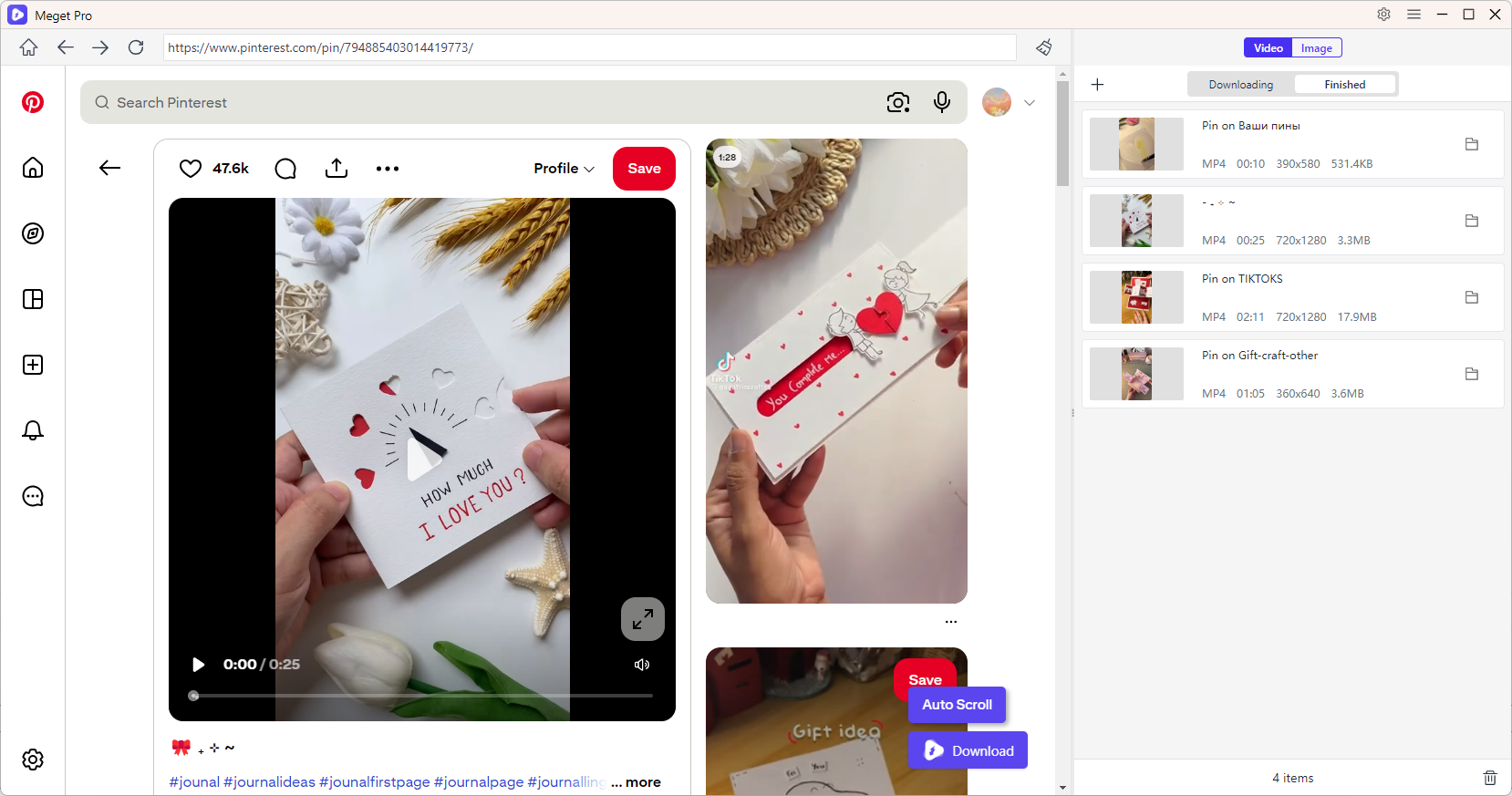
- Чтобы загрузить видео из Pinterest, откройте и воспроизведите видео, затем нажмите кнопку загрузки, чтобы добавить его в очередь — Meget Pro автоматически начнет обработку и загрузку всех заданий.
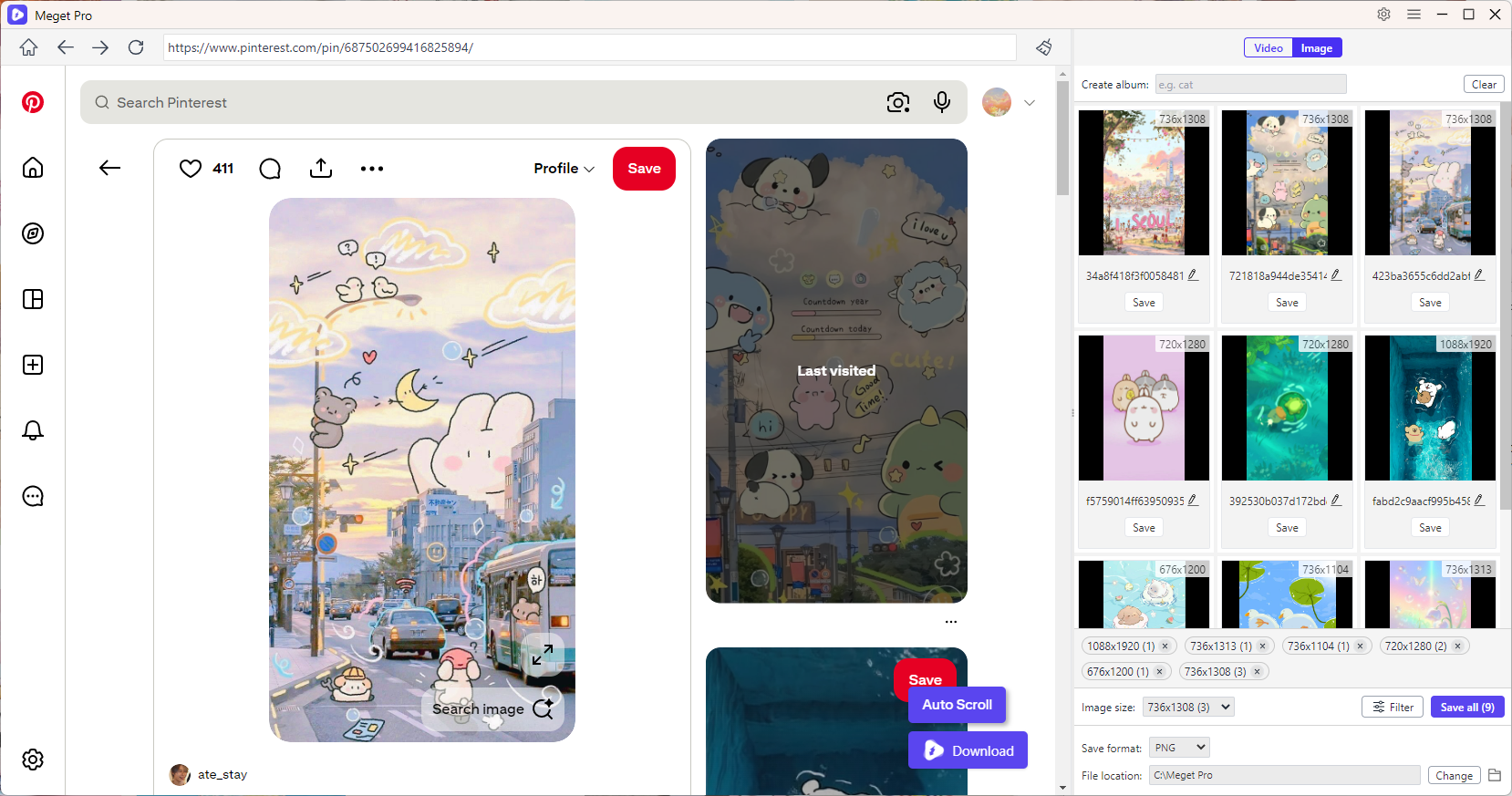
- Чтобы загрузить изображения и GIF-файлы из Pinterest, прокрутите страницу, чтобы загрузить весь контент, затем используйте параметры фильтра, чтобы выбрать файлы и загрузить их все сразу.
2. Дополнительные инструменты для загрузки видео с Pinterest
2.1 Онлайн-загрузчики видео с Pinterest
Онлайн-инструменты — это самый простой способ загрузить видео с Pinterest без установки программного обеспечения.
Популярные варианты:
- PinDown
- PinterestDownloader
- КликПин
- ДаунПинт
Как это работает:
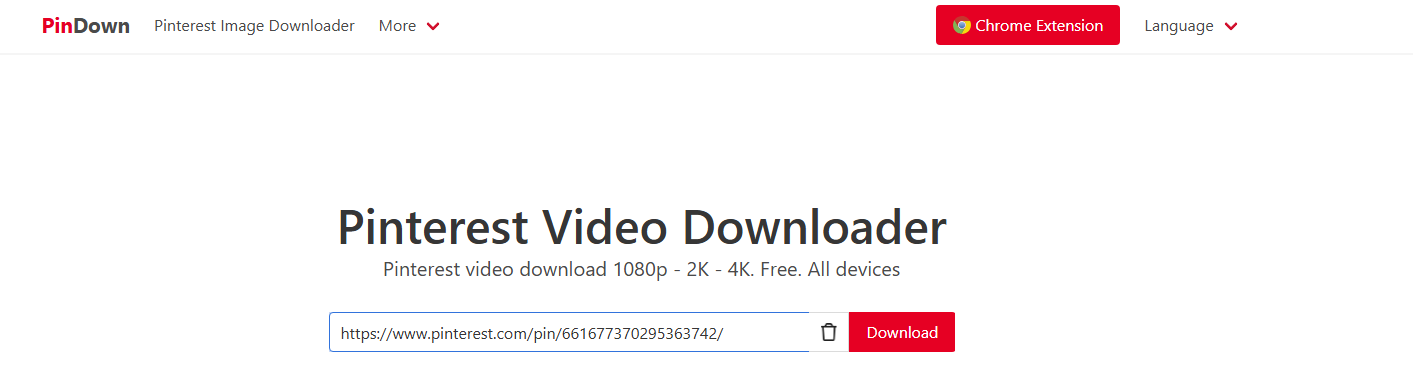
- Скопируйте ссылку на видео с Pinterest и вставьте её на сайт для скачивания, например, PinDown.
- Пусть онлайн-инструмент скопирует видео с Pinterest, затем выберет качество и скачает его.
Преимущества:
- Установка не требуется
- Работает на любом устройстве
- Быстрая загрузка отдельных файлов.
Недостатки:
- Реклама и всплывающие окна
- Ограниченная поддержка пакетной обработки
- Качество может варьироваться.
2. Расширения для браузеров
Расширения для браузеров позволяют загружать файлы напрямую во время просмотра Pinterest.
Популярные варианты:
- PinLoad (добавляет кнопку загрузки к закрепленным изображениям)
- Расширение KlickPin (поддерживает видео и изображения)
- Расширения в стиле PinSnap для Firefox и Chrome
Как использовать:
- Установите расширение для загрузки файлов из Pinterest, например PinLoad.
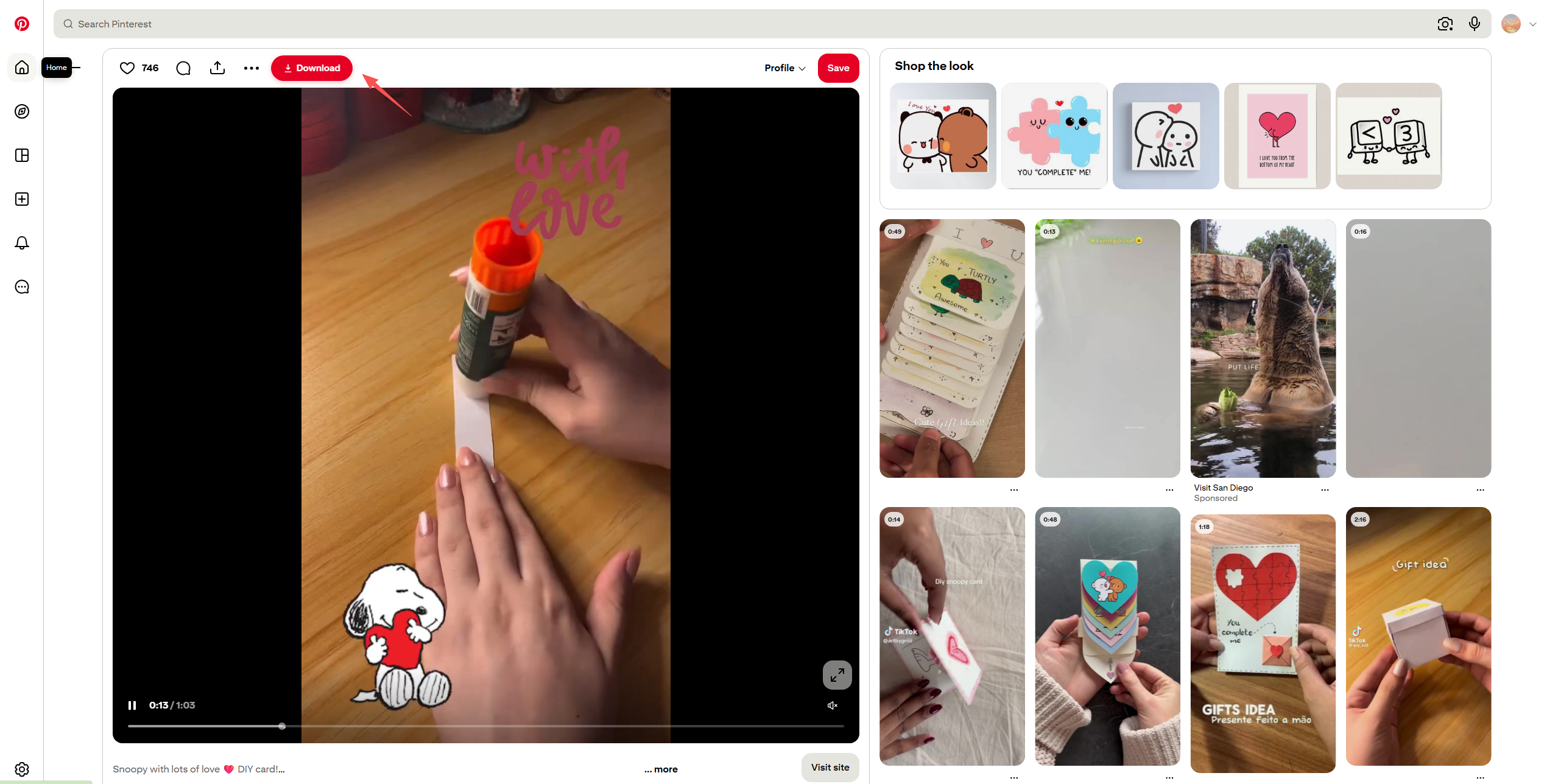
- Откройте видеоролик в Pinterest и воспользуйтесь встроенной кнопкой загрузки PinLoad, чтобы сохранить видео локально.
Преимущества:
- Загрузка в один клик
- Автоматически определяет тип носителя
- Подходит для частого использования
Недостатки:
- Возможно, перестанет работать после обновления Pinterest.
- Ограниченный набор расширенных функций
3. Программы для загрузки программного обеспечения
Настольное программное обеспечение обеспечивает большую стабильность и расширенные возможности.
Популярные варианты:
- VidJuice UniTube
- SurFast Video Downloader
- Многосайтовые медиа-захватчики
Как использовать:
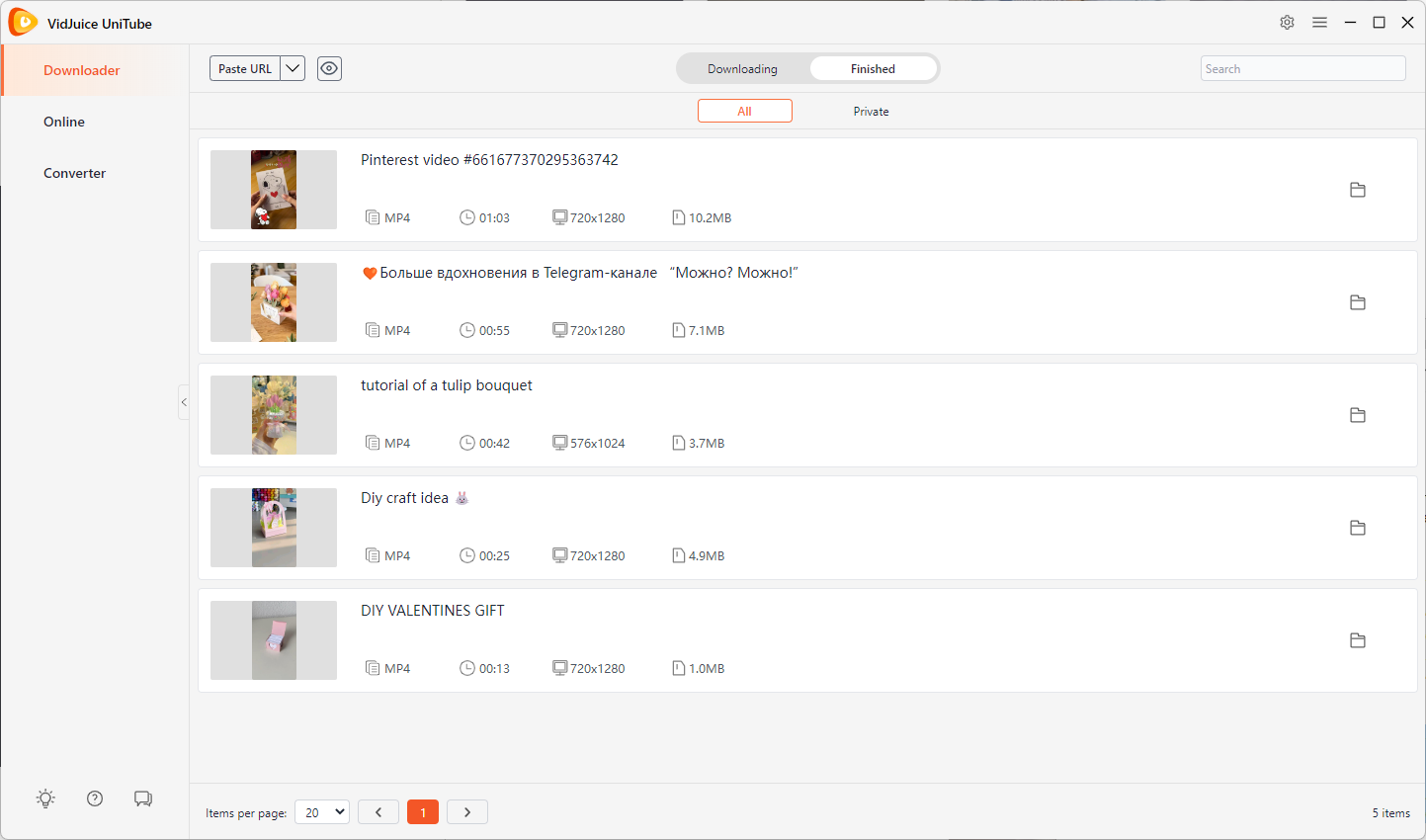
- Установите и запустите программу для скачивания видео, например VidJice.
- Скопируйте все URL-адреса страниц Pinterest и вставьте их в VidJuice.
- VidJuice начнет загрузку всех видеороликов из Pinterest и отобразит их во вкладке «Завершено», когда загрузка закончится.
Преимущества:
- Высококачественные загрузки
- Поддержка пакетной загрузки
- Надежнее, чем онлайн-инструменты.
Недостатки:
- Требуется установка
- Некоторые инструменты платные.
3. Дополнительные инструменты для загрузки изображений и GIF-файлов с Pinterest.
3.1 Онлайн-загрузчики изображений и GIF-файлов
Онлайн-инструменты также могут извлекать изображения и контент в формате GIF.
Популярные варианты:
- Онлайн-загрузчик изображений
- Веб-версия ClickPin
- Загрузчик изображений PinDown
Как использовать:
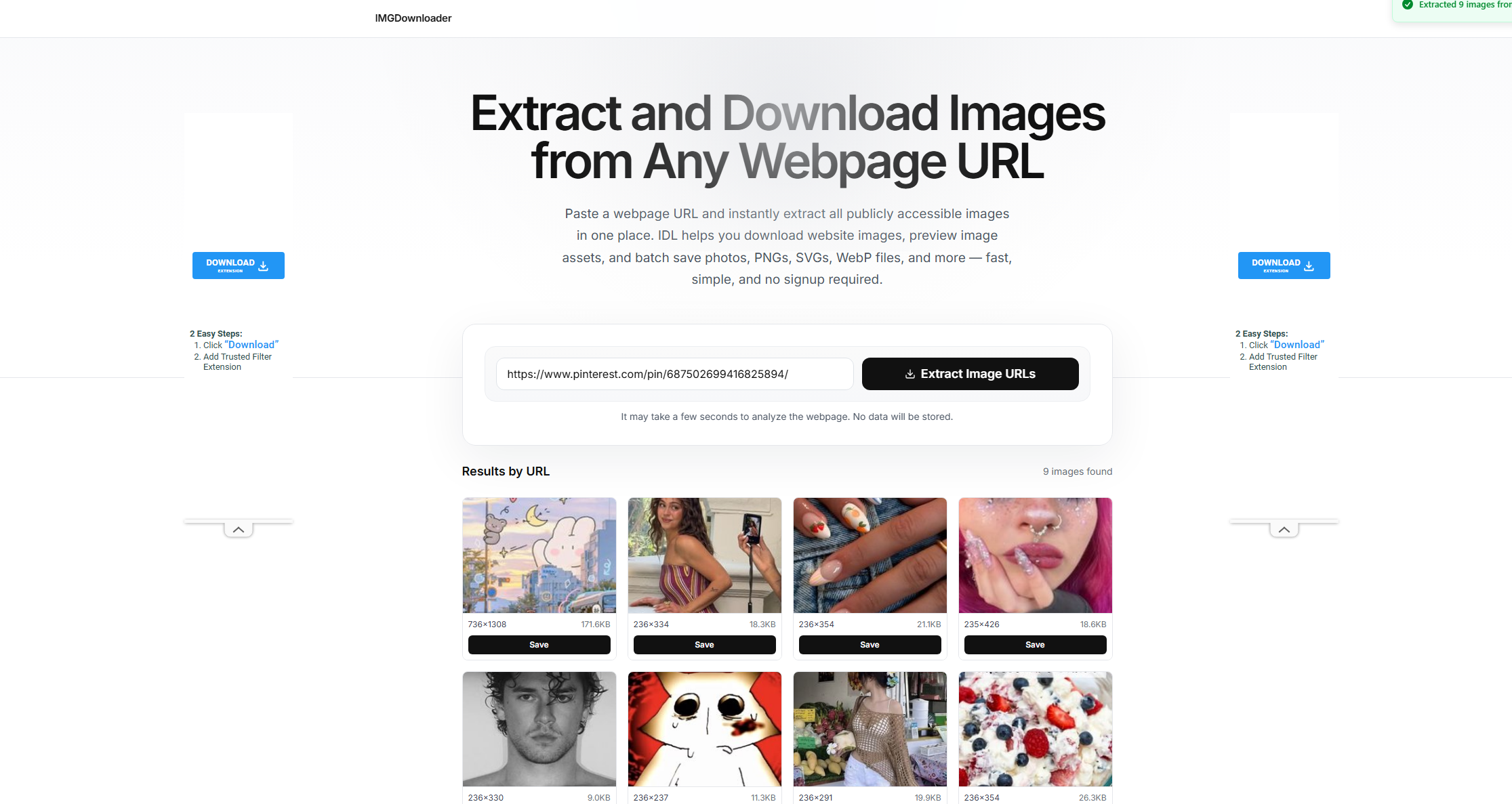
- Воспользуйтесь популярными онлайн-сервисами для загрузки изображений, такими как Image Extractor или ImgDownloader.
- Скопируйте URL-адрес страницы Pintertest, содержащей изображения, которые вы хотите загрузить, и вставьте его в онлайн-инструмент, чтобы начать извлечение.
- Выберите нужные изображения из Pinterest и скачайте их для просмотра в автономном режиме.
Преимущества:
- Просто и быстро
- Установка не требуется
- Работает на мобильных устройствах и компьютерах.
Недостатки:
- Ограниченный контроль качества
- Не подходит для массовой загрузки.
2.2 Расширения для браузера
Расширения позволяют напрямую брать изображения и GIF-файлы со страниц Pinterest.
Популярные варианты:
- PinLoad загрузчик изображений
- Расширение ClickPin
- Универсальные инструменты для пакетной загрузки изображений, такие как Imageye.
Как это работает:
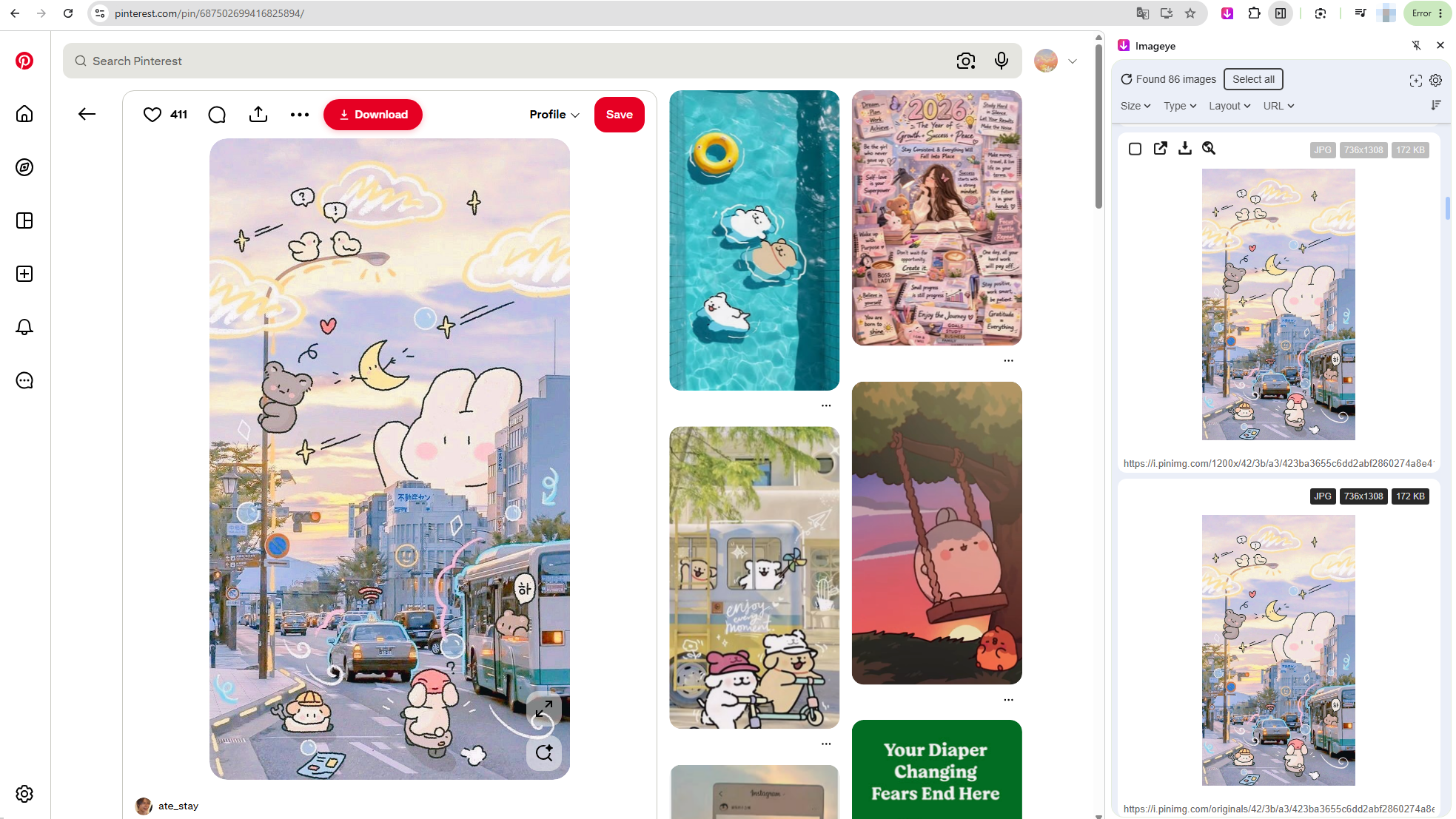
- Установите в свой браузер расширение, например Imageye.
- Откройте доску или профиль в Pinterest, нажмите на значок расширения, чтобы запустить сканирование изображений.
- Выберите нужные изображения из Pinterest и скачайте файлы.
Преимущества:
- Поддержка пакетной загрузки изображений
- Простая интеграция с браузером
- Быстрый рабочий процесс
Недостатки:
- Возможно, будет отсутствовать некоторый динамический контент.
- Проблемы совместимости с браузерами
3.3 Программы для загрузки программного обеспечения
Настольные программы лучше всего подходят для загрузки больших объемов изображений и GIF-файлов.
Популярные варианты:
- Изображение
- Программа для массовой загрузки изображений (BID)
- WFDownloader
Как использовать:
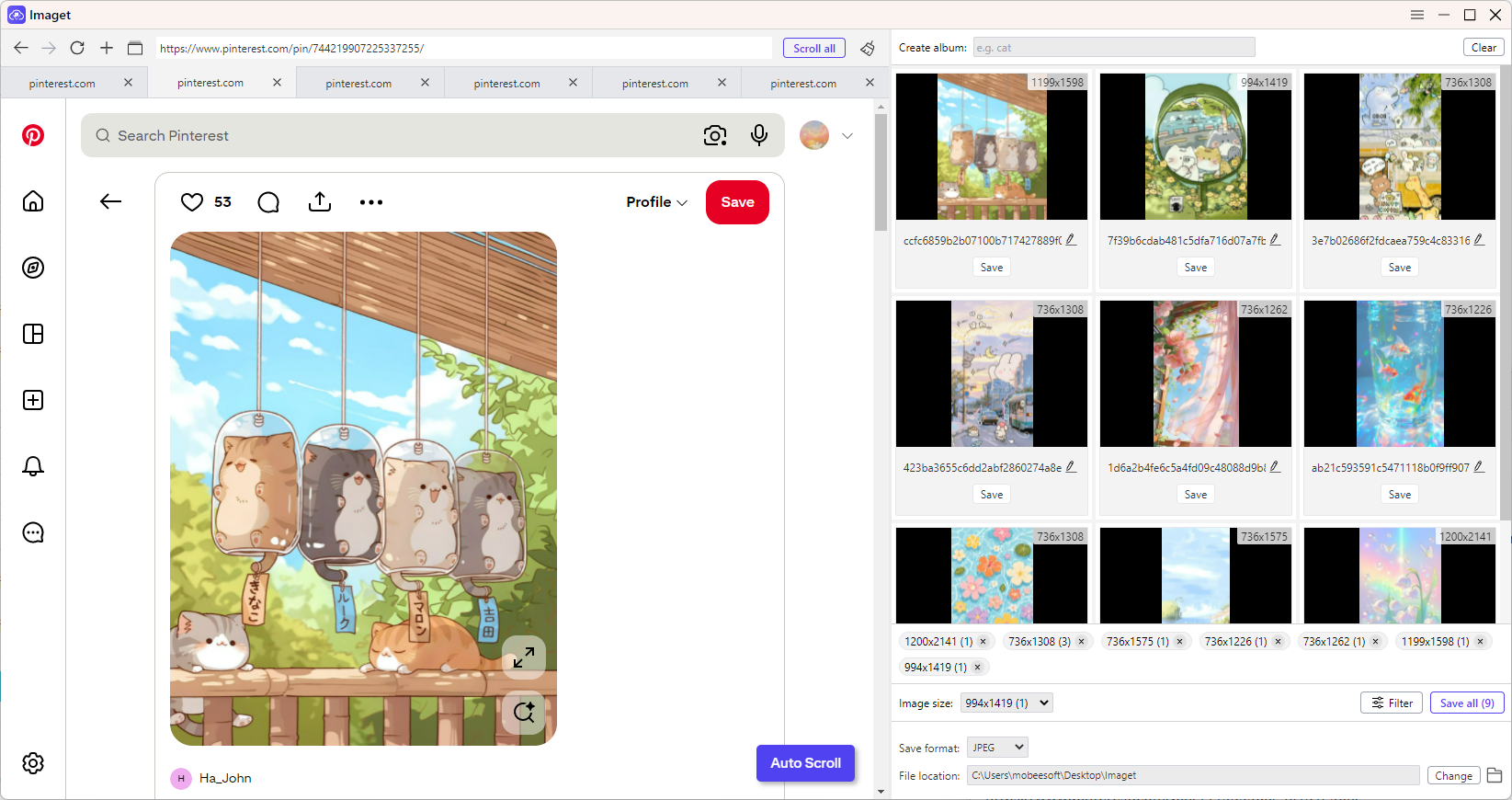
- Загрузите на своё устройство надёжную программу для загрузки изображений, например Imaget, и откройте её.
- Скопируйте все URL-адреса изображений из Pinterest и вставьте их в Imaget.
- Imaget автоматически определит все доступные изображения, что позволит вам фильтровать файлы и загружать их партиями.
Преимущества:
- Лучше всего подходит для массовой загрузки.
- Вывод высокого разрешения
- Легко справляется с целыми платами.
Недостатки:
- Требуется установка
- Некоторые функции платные.
4. Заключение
Загрузка видео, изображений и GIF-файлов с Pinterest может осуществляться различными способами, в зависимости от ваших потребностей. Онлайн-инструменты отлично подходят для быстрой разовой загрузки, расширения для браузеров обеспечивают удобство при просмотре, а настольные программы гарантируют большую стабильность и контроль.
Однако для пользователей, которым нужно наиболее эффективное и полное решение, Meget Pro выделяется как лучший вариант. Он поддерживает пакетную загрузку, автоматическое определение медиафайлов и сохранение видео, изображений и GIF-контента в высоком качестве — всё в одном месте.
В целом, хотя для выполнения работы можно использовать несколько инструментов, Очень профессионально Предлагает наиболее мощный и оптимизированный интерфейс для загрузки контента Pinterest в больших масштабах.
- Как исправить ошибку 152-18 в программе для загрузки 4K-видео?
- Лучшие альтернативы видеозагрузчику CocoCut, которые стоит попробовать.
- Как скачать фильм с Movies2Watch?
- Обзор GenYouTube: полное руководство по его функциям и использованию.
- Обзор Tuberipper: стоит ли им пользоваться?
- Как исправить ошибку "Загрузчик 4K-видео не находит допустимый формат"?
- Как исправить ошибку 152-18 в программе для загрузки 4K-видео?
- Лучшие альтернативы видеозагрузчику CocoCut, которые стоит попробовать.
- Как скачать фильм с Movies2Watch?
- Обзор GenYouTube: полное руководство по его функциям и использованию.
- Обзор Tuberipper: стоит ли им пользоваться?
- Как исправить ошибку "Загрузчик 4K-видео не находит допустимый формат"?
- Как исправить проблему с загрузчиком 4K, который загружает видео всего 10 секунд?