How to Use SaveFree to Download Instagram Videos and Photos?

Instagram is one of the most popular platforms for sharing photos, videos, Reels, and other visual content. While Instagram allows users to save posts within the app, this does not always mean that the media is downloaded directly to a computer or phone. If you want to keep a copy of content you are authorized to use, an Instagram downloader can provide a more convenient solution.
In this guide, we’ll explain what SaveFree is, how to use its online downloader and extension, and its main advantages and disadvantages.
1. What Is SaveFree?
SaveFree is an Instagram media downloader designed to help users save publicly available Instagram content to their devices. Instead of relying solely on Instagram’s built-in save feature, users can use a third-party downloader to create a local copy of supported photos or videos.
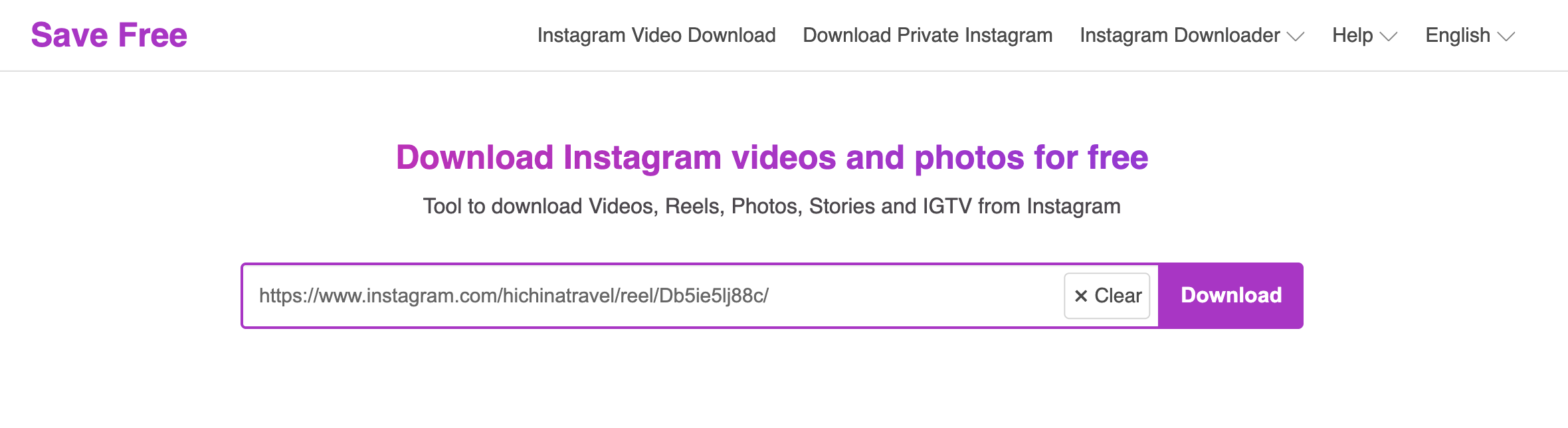
SaveFree allows users to download Instagram photos and videos by copying a post URL, pasting it into the online downloader, and selecting the download option, while its browser extension offers a more convenient way to save supported content directly while browsing Instagram.
2. How to Use SaveFree Online Downloader to Download Instagram?
The SaveFree online downloader is a straightforward option when you only need to download an occasional Instagram photo or video.
Steps to Download Instagram Media with SaveFree:
- Open Instagram and find the photo, video, or Reel you want to save.
- Copy the Instagram post URL, tehnopen the SaveFree online downloader in a new browser tab and paste the Instagram URL into the downloader’s input field.
- Click the Download button and wait for SaveFree to process the link.
- Select the available download option and save the media to your device.
3. How to Use SaveFree Extension to Download Instagram?
For users who frequently browse Instagram on a desktop browser, a SaveFree extension can offer a more convenient workflow.
Steps to Download Instagram with the SaveFree Extension:
- Install the SaveFree extension in a supported browser.
- Open Instagram, then locate the photo, video, or Reel you want to download.
- Use the download option provided by the extension near the supported media.
- Choose the available download option if multiple options are displayed.
- Save the file to your preferred download folder.

4. Pros and Cons of SaveFree
Before choosing SaveFree as your primary Instagram downloader, it’s worth considering both its strengths and limitations.
Плюсы:
- Simple workflow: The online downloader generally requires only an Instagram URL.
- Convenient for occasional downloads: You don’t need a complicated setup for individual files.
- Browser-based: The online version can be accessed through a web browser.
- Extension support: A browser extension can make downloading more convenient.
- Useful for common Instagram media: It can be suitable for saving supported photos and videos.
Минусы:
- Limited download management: Online tools may not provide the organization and controls of dedicated desktop software.
- Potential compatibility issues: Changes to Instagram can affect third-party downloaders.
- Less convenient for bulk downloads: Processing many files individually can become time-consuming.
- Extension limitations: Browser extensions may have compatibility restrictions or stop working temporarily after website changes.
5. Try the Ultimate Media Downloader to Download from Instagram – Meget Pro
If you need a more powerful solution for downloading online media, Очень профессионально is worth considering. Unlike a simple browser-based downloader, Meget Pro is dedicated desktop software designed to provide a more structured media-downloading workflow.
This can be particularly useful for users who frequently download videos and other media rather than saving a single Instagram post from time to time.
- With Meget Pro, you can generally follow a simple process to download from Instagram:
- Download and install Meget Pro on your computer (Windows or Mac), then launch the program and configure your preferred download settings.
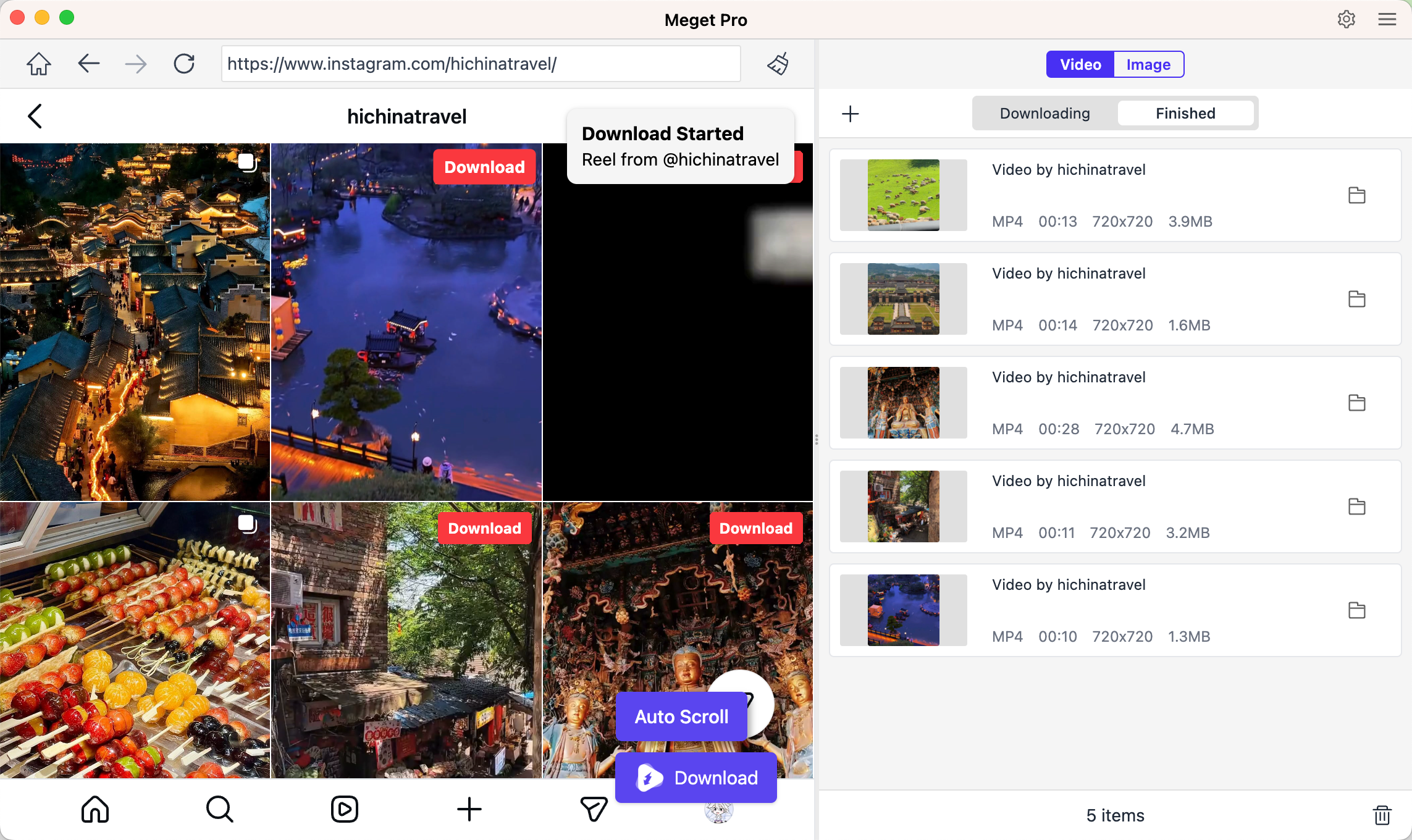
- To download Instagram videos, locate and play the video, then click the Download button to add the video to Meget Pro’s download list; Repeat the process for more Instagram videos when necessary.
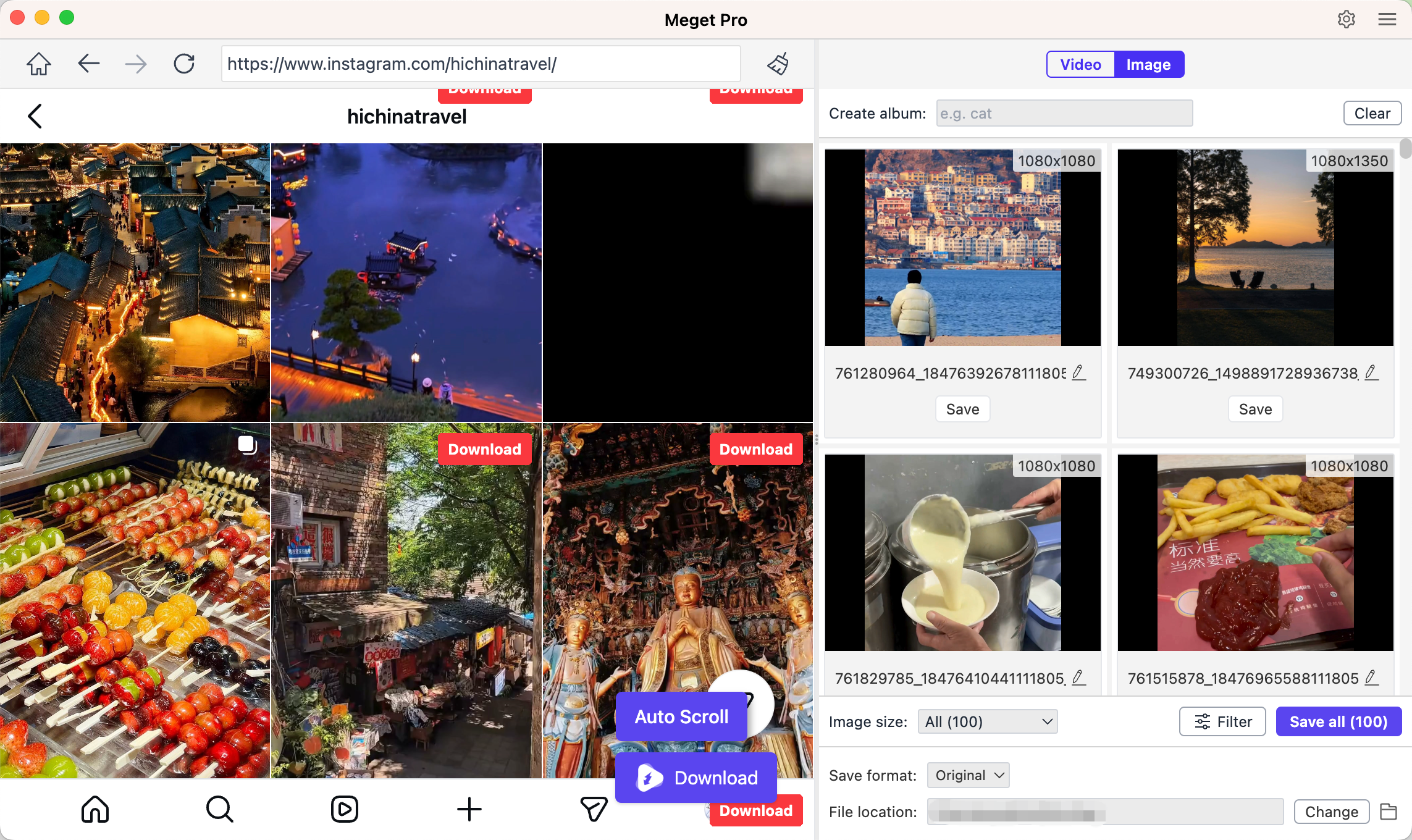
- To download Instagram photos, scroll tha page to load original files, then you can filter desired photos by size and types, and export these files in one-click.
6. Заключение
SaveFree provides a simple way to download supported Instagram photos, videos, and Reels through its online downloader or browser extension. While it works well for occasional downloads, its limited download management and potential compatibility issues may make it less convenient for users who regularly save large amounts of Instagram content.
For a more comprehensive solution, Meget Pro is worth trying. As a dedicated desktop media downloader for Windows and Mac, it offers a more convenient workflow for downloading Instagram videos and photos. You can add videos directly to the download list and filter photos by size and type before exporting them in one click. If you frequently download Instagram media and want a more efficient alternative to a basic online downloader or browser extension, Meget Pro is a recommended choice.